The detailed comparison
A closer look at the daily routine, the tools and the limits of each product.
Choose a section
Keep the daily trading habit beside the portfolio
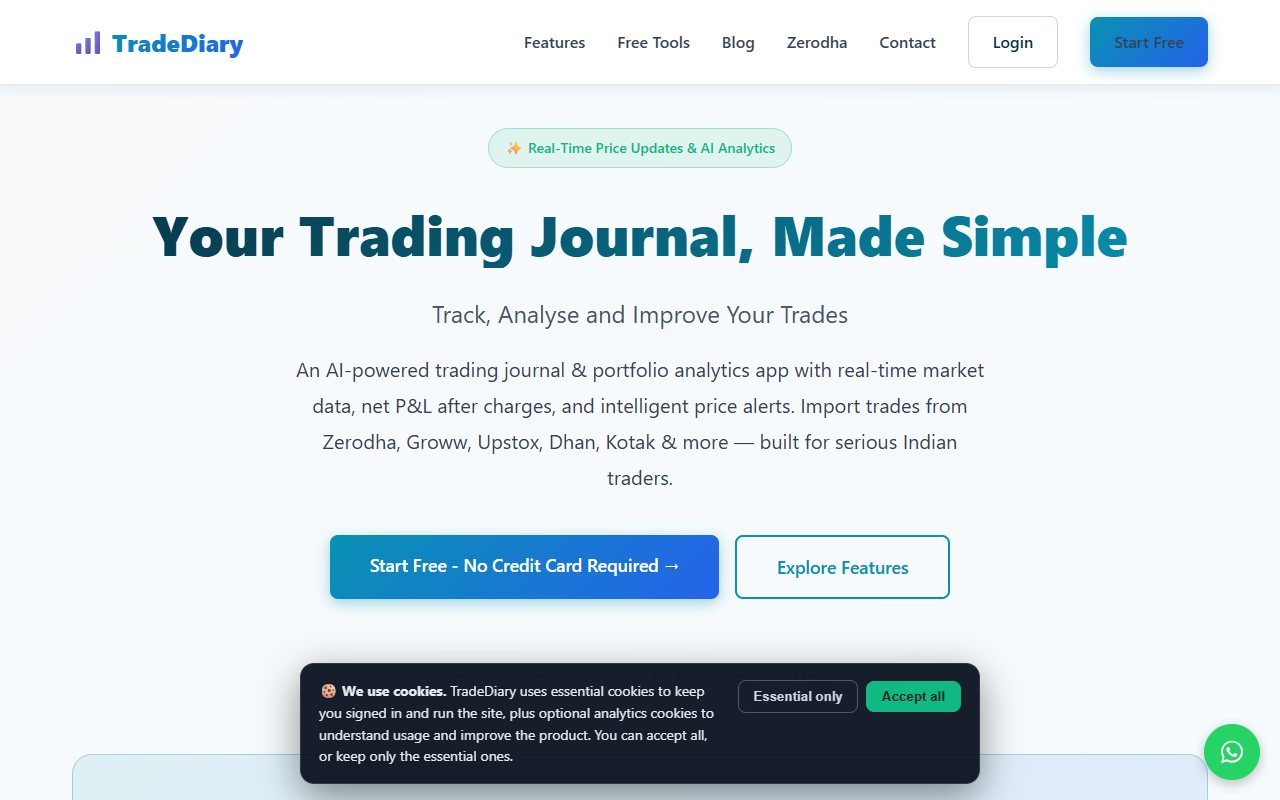
This page compares OneTradeJournal with the product at tradediary.app. The similarly named tradediary.in has a separate comparison. We have not established shared ownership, so the domain matters when checking features and offers. A portfolio can look healthy while a trader keeps making rushed options entries. A portfolio is the set of investments you hold. OneTradeJournal focuses on the daily habit behind those entries: write one planned trade, your reason and the emotion at entry and exit. The aim is to build discipline, reduce overtrading and avoid repeating costly mistakes. Save the urge to recover a loss even when the next trade wins. OTJ cannot block broker orders or promise that one trade will avoid a loss. Free OTJ permits one saved trade per day per market. Paid plans allow extra entries. The daily focus is not a reason to hide other trades or call one selected note the account's total return. TradeDiary (.app)'s homepage describes holdings, stock baskets, funding costs, imports and reports. Its Zerodha page also advertises emotion tagging and AI. That is a broader set of tools with room for personal reflection, not just account totals. OTJ starts with manual Indian futures and options writing. Futures and options, often shortened to F&O, are contracts linked to a share, index or other asset. We checked public pages and OTJ code, without testing a TradeDiary account or import. Current offers, pilot access and sync descriptions still need the checks below. ## Separate an investment position from a trading decision
Imagine a made-up trader who holds several NSE stocks for weeks and trades Bank Nifty options within the same day. A portfolio view can help show open holdings and their current value. It does not automatically explain the decision behind the options trade. The portfolio tools may help this trader see more of the account in one view. The homepage includes results on closed trades and the changing value of open holdings. It also describes stock groups called baskets and tracking the cost of borrowed funds. Those are different questions from why a stop was moved. OTJ makes that personal reason part of the daily entry, beside the planned stop, target and strategy. It also records feelings, stress, confidence, an impulse reason, a mistake and any change from the plan. The reason stays with the trade as you enter it by hand. For example, “I entered again because I wanted to recover the morning loss” gives a second option entry a meaning. A position total may include that entry correctly without explaining it. TradeDiary (.app)'s Zerodha page advertises emotion tagging and AI trade review too. Check whether those tools keep the details and reasons you need. If you need to understand open holdings and borrowed funds, test the portfolio tools first. If the main problem is repeating an emotional decision, test how the notes work before choosing by the number of tools. ## AI needs your explanation, whichever journal you use
OTJ's paid AI includes Ask Your Journal, Trading Mentor with chart screenshot analysis and pattern feedback. The .app product also lists AI on its Zerodha page. The page advertises AI, but current access remains unclear across its public pages. OTJ's AI is paid with usage limits. A helpful question is, “What reasons repeat in trades I marked as deviations?” The answer should point to actual records. A journal cannot promise to make you profitable. OTJ's daily writing fields help preserve those reasons. Its ordinary behaviour analytics are available free and compare saved feelings and habits with results. Entry and exit emotions can show how a trader's state changed. Stress and confidence can provide context, while satisfaction and mistake fields can keep a lucky win from rewriting the decision. Flags for possible revenge trades, size jumps and excess trading are rough data checks. They are not diagnoses or broker order blocks. Inspect the entries behind a flag before accepting its interpretation. In either product, AI can be wrong. Trade numbers alone do not reveal your private reasons. Write the notes honestly and check the answer against them. ## Import support has several meanings
The homepage describes file imports. You match the fields and see a preview. It also says you can fetch Kotak Neo and Zerodha trades when you choose. The Zerodha page says real-time sync and bringing in older history. Those descriptions are not identical. The pricing page also lists Zerodha, Upstox and Dhan sync on the free card. Check the method that works for your account today. The pricing list is wider than the homepage's named live connections. This does not prove that a connection is unavailable. It means the public pages do not settle one clear setup or update schedule. Check the method before relying on it. OTJ has no broker sync or CSV import. Paid voice fill helps complete the manual form. You still check and save each entry. It cannot bring in a whole old broker file. Think of a made-up trader with several years of broker files. Copying them by hand takes work. The listed import route may suit that task better than typing it all into OTJ. Try a small file with a partial exit and a repeated symbol. Check the quantities, contract names and grouping against the broker tradebook. Correct field matching matters more than the number of broker logos. ## Open results and closed results need separate review questions
Open holdings can rise while the trades you chose and closed have gone poorly. The opposite can happen too. Mixing open and closed results can hide the activity you meant to review. For a made-up Indian trader, first decide whether you are reviewing shares still held or options trades already closed. One total can answer the first question but mislead you about the second. OTJ has a profit and loss calendar and views by strategy and time. Its results line shows saved trades over time. Drawdown means a fall from an earlier high. Profit factor compares total gains with total losses. They use your entered sample. Save all relevant trades before drawing a conclusion. If you want to review late Nifty entries, use the same setup and plan-change labels each week. Compare similar choices. A long stock holding and a fast option trade may need different reviews, even in one account. OTJ's risk multiple compares the result with risk from a valid planned stop. Its exit review compares your saved exit with your saved target. It does not measure the largest price move against or in favor of the position. TradeDiary (.app)'s portfolio scope may suit a wider account review, but check which records go into each number. A correct number can still answer a different question from the one you are asking. ## The free allowance is more generous for busy days
The pricing page lists up to 100 trades a month on Free. It also lists basic charts, setup tags and emotion tags. It says everyone is on Free today and paid plans will be shown when they launch. Other sections discuss future paid features. We did not establish a paid plan or price you can buy now. OTJ's free allowance is one trade per day per market. Paid India plans cost ₹499 monthly, ₹1,299 quarterly and ₹3,499 yearly, allowing extra manual entries. For a made-up trader who takes several trades on a few active days, a monthly cap may fit better than a daily limit. The listed free cap may help that kind of routine. For a trader who takes one planned trade most days, the OTJ allowance may support a steady reflection habit. Check whether all the trades you need will fit. The larger free number alone does not answer that. Do not skip a losing second trade to stay inside the free limit. That leaves out part of the day and changes the charts. If several trades per day are normal, evaluate OTJ paid access. The pricing page says paid plans have yet to launch. We cannot compare a paid price that is not given. We can explain its known subscription cost and the workflow it provides. ## The verified-results tool is still a private pilot
TradeDiary (.app)'s Verified P&L page describes a private pilot for Kotak Neo F&O accounts. It says the feature cannot yet be enabled from a normal account. Check that status before choosing by the feature name. The pilot's own page says it is not a broker statement or certified performance record. Charges are estimates and coverage starts when capture begins. A broker-data record and a note about your choice answer different questions. One shows trades and results. The other explains why you acted. You may need both. OTJ does not certify or audit your trading history. Its analytics depend on what you log, and its exports remain self-entered journal records. OTJ is not a system for proving a trading history. A made-up trader sharing results with a mentor should separate the execution evidence from the explanation. A broker statement can confirm the trade numbers. A journal note can explain why risk was increased or why an exit changed. Do not treat a polished public page as proof of complete history, guaranteed accuracy or future skill. For this pilot, ask who can use it now and which records it covers. For an OTJ user, the goal is to review the decision. Its fields help preserve the reason. They do not prove that an auditor checked the record. ## Keep stock practice and real choices separate
The paper-trading page advertises free practice with stock baskets. It uses live NSE/BSE prices. This is called forward testing. It says orders do not fill when a stock reaches a locked price limit, called a circuit. This is a different activity from entering and reviewing actual trades. OTJ has no historical backtesting or market replay. Do not choose OTJ expecting a live-price practice account. A made-up trader may follow a stock method calmly in practice but hesitate when real money is at risk. The difference does not make the practice useless. It shows that market rules and your own reactions need separate checks. Keep practice and real results separate when comparing a method. Otherwise a large set of confident practice entries may hide a smaller set of difficult live decisions. A stock practice tool does not prove support for options practice. Check the contracts and order behavior you need. Stock support does not settle options support. OTJ is useful when the question is how you acted during a real recorded decision. The listed practice tool may suit someone testing a stock method before using real money. ## Pick the record you want to review after the session
Try an ordinary week with a share holding, a planned options loss and an unplanned winner. Use actual broker records to check the numbers, and include the difficult trades as well as the good ones. Choose OTJ if you want to pause over one daily F&O trade and write the urge that led to an unplanned follow-up. Return to that reason instead of letting the holdings total hide it. Manual writing is deliberate, and you must be able to keep doing it. Its expiry picker, lot-size hints and estimated charges support that review, while broker contract notes remain the financial record. Choose TradeDiary (.app) if its portfolio, file imports or stock practice are the tools you need most. Confirm broker methods, current paid terms and any pilot status before relying on them. OTJ exports CSV, JSON and text reports. CSV gives rows and columns, JSON keeps structured fields, and text gives a readable report. Whichever product you choose, keep the broker numbers and your personal reasons. Read the daily note before treating the same recovery urge as a fresh setup. Neither product promises profit or prevents orders at your broker.
Sources and limits
We checked these public product pages and OneTradeJournal’s current product on 12 October 2026. We did not test a private TradeDiary (.app) account, broker import, payment or AI answer. Check current plans and limits before paying.
- TradeDiary.app portfolio and entry routes · Checked 12 October 2026
- TradeDiary.app free limits · Checked 12 October 2026
- TradeDiary.app Zerodha and AI claims · Checked 12 October 2026
- TradeDiary.app private verified-results pilot · Checked 12 October 2026
- TradeDiary.app stock practice · Checked 12 October 2026
A journal cannot promise trading profits. AI answers and fee estimates can be wrong. Check trades and charges against broker records. This page does not give trading, investment or tax advice. Competitor names and website pictures do not imply a partnership or endorsement. Any example is an explanation, not a private account screenshot or a real customer result.